
Head-to-Head
Slack vs. Miro: Team Communication or Visual Collaboration?

 Add Unite.AI to your preferred sources on Google
Unite.AI may receive compensation when you use links to products we review. This does not influence our editorial evaluations. Read our affiliate disclosure.

Key PointsSlack suits ongoing coordination while Miro suits the visual workshops where teams…
View more
- Slack suits ongoing coordination while Miro suits the visual workshops where teams compare ideas spatially.
- Miro's Slack integration lets workshop feedback return to the board without turning every board event into channel noise.
- For ten paid members Slack Pro plus Miro Starter costs a $152.50 monthly equivalent billed annually.
Some team problems need a conversation. Others need everyone to see the same customer journey, process, or competing ideas at once. Slack and Miro both support collaboration, but the shape of that collaboration matters: a channel is a running exchange, while a canvas gives ideas a spatial relationship.
Quick Verdict
Choose Slack for everyday communication, quick coordination, and connecting colleagues to the tools they use. Choose Miro for workshops, mapping, and visual problem-solving. We recommend using both when a team needs to work through a complex idea together and then keep the discussion moving between sessions.
Both products appear in our best AI collaboration tools guide. This comparison evaluates where each belongs in a real team workflow, including where using them together is more useful than replacing one with the other.
Slack vs. Miro at a Glance
| Decision | Slack | Miro |
|---|---|---|
| Best fit | Ongoing team coordination | Visual thinking and workshops |
| Shared working surface | Channels, canvases and Lists | Canvas with notes, diagrams and formats |
| AI example | Recover context from a team discussion | Turn board content into organized ideas |
| Main limitation | A thread is awkward for spatial thinking | A board does not replace a daily messenger |
| Using both | Invite participation and follow up | Keep the visual model and workshop output |
The Same Team Problem, Two Different Approaches
A product and customer-success team is redesigning onboarding. It needs to map the steps customers take, identify failure points, choose improvements, and assign follow-up work. The same group will meet for a workshop and then continue the project over several weeks.
Coordinate the work in Slack
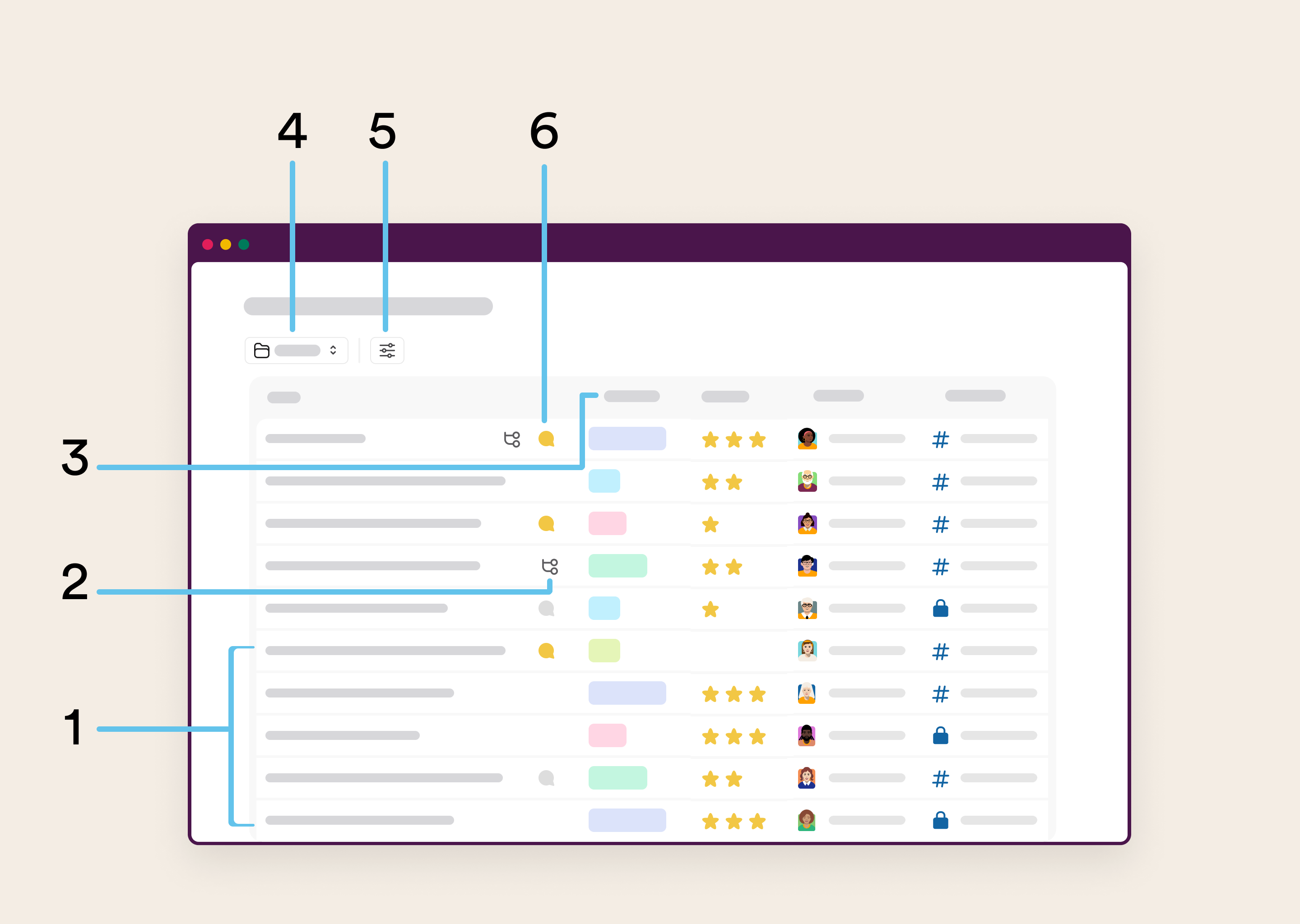
Slack handles the work before and after the session well. A project channel brings the right people into the discussion, collects examples, and keeps late-arriving questions visible. A canvas can hold the workshop brief and links. A list can track a small number of follow-ups with owners, dates, and item-level discussion.
Organize the work in Miro
Miro is our choice for the workshop itself. Put customer steps, quotes, bottlenecks, and proposed changes onto a shared board. Participants can compare alternatives without reading a long sequence of replies. Grouping related notes and drawing connections makes disagreement easier to locate: the group can point to a specific step instead of talking past one another.
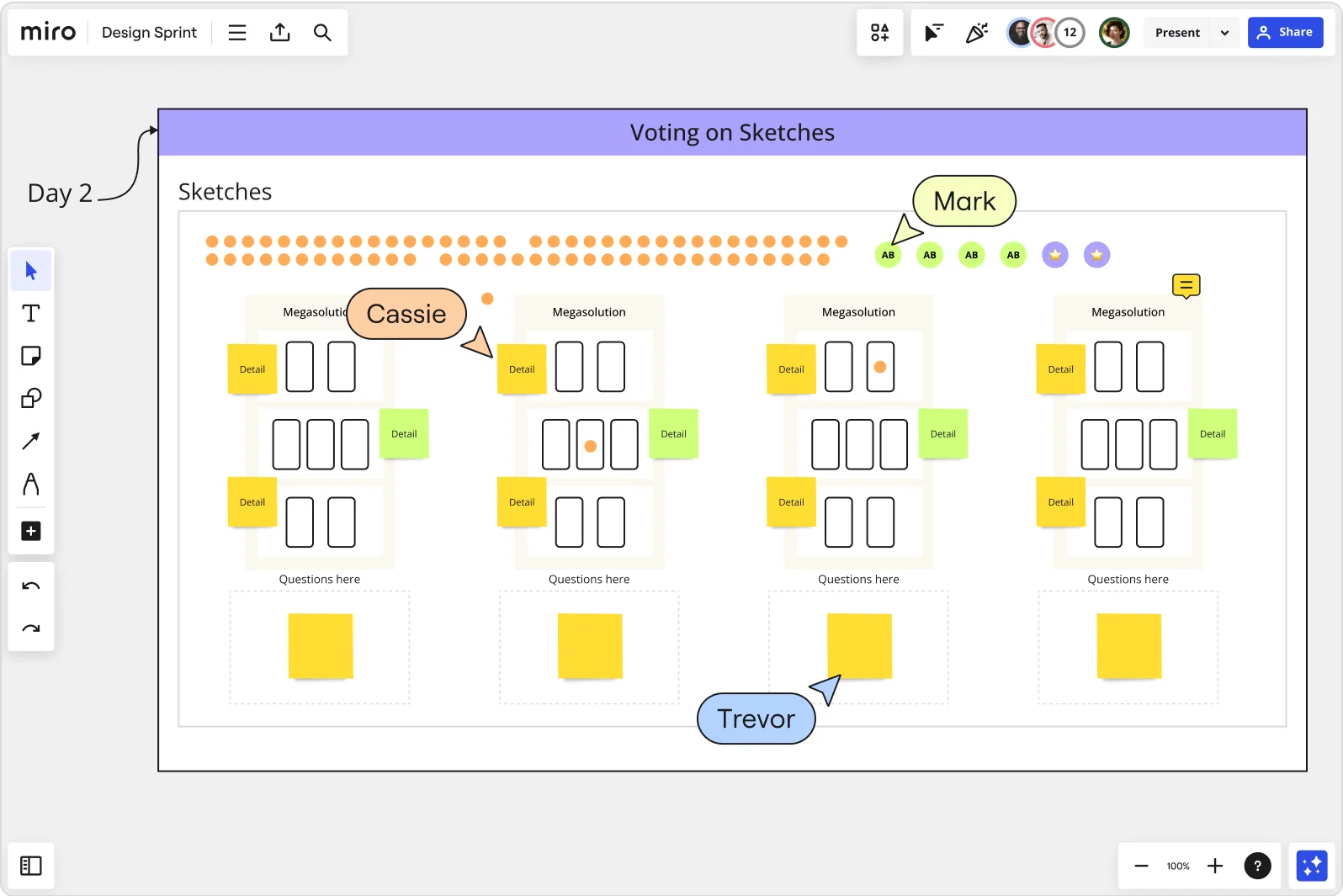
Miro also has Docs, Tables, Kanban, and other structured formats, so it is more than a blank whiteboard. That makes it practical to keep a modest action plan alongside the model. We still prefer Slack for the everyday exchange that surrounds the project, especially when stakeholders need a quick answer without opening a large board.
Where the AI Helps in Practice
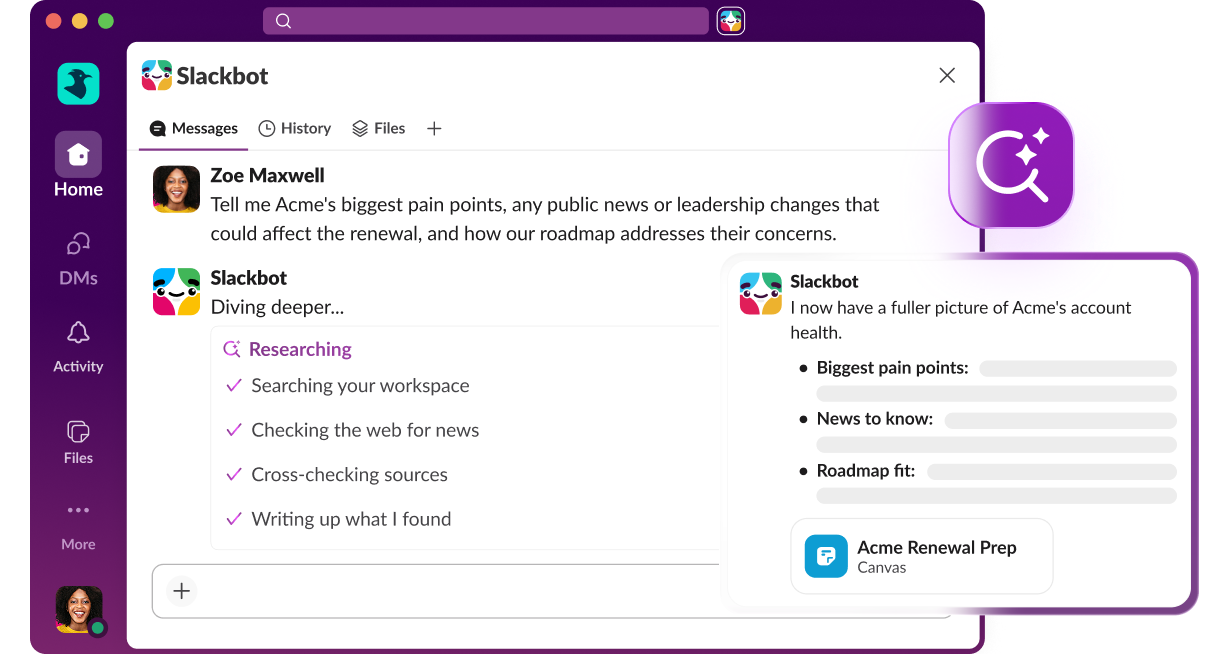
In Slack, a useful AI request starts with work the team has already discussed: summarize the open questions, explain a decision, or prepare a brief for someone joining the project. Slackbot’s value comes from the relevant context it can access, not from replacing an accountable owner. The official example below shows research being organized into a canvas; it is a vendor product example, not a result from our own test.
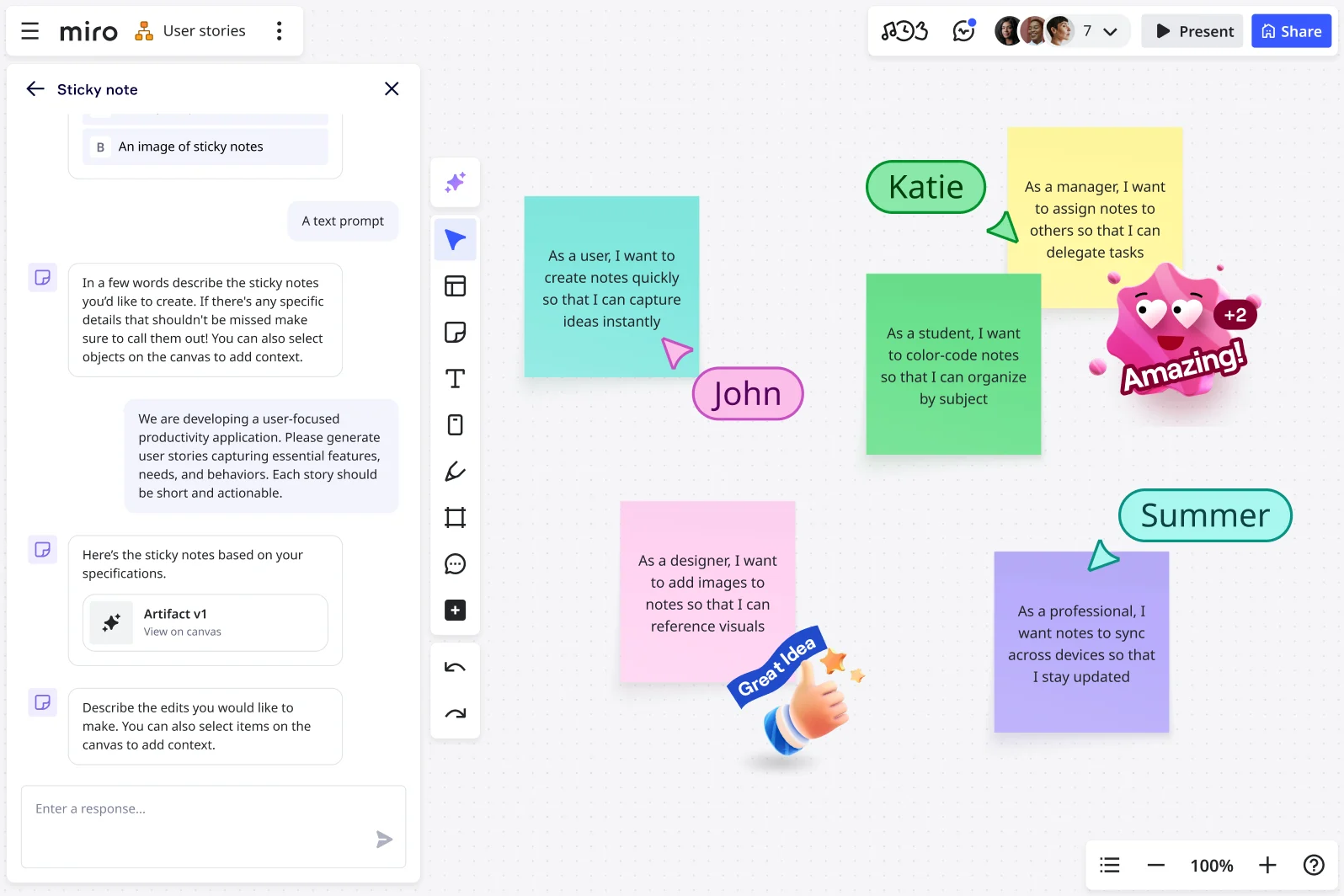
Miro’s AI is useful when the raw material is already visual. In the vendor example below, a prompt produces user-story notes that a group can arrange on the canvas. More broadly, AI can help organize and summarize material or generate a starting diagram. The team can then inspect the structure together instead of passing a text answer between people.
For onboarding redesign, we would use Miro to organize evidence and visualize a proposed flow, then use Slack to explain decisions to people who missed the workshop. The board should preserve the underlying evidence, not only an AI-generated summary. Keeping the decision and its rationale connected makes the next round of feedback more useful.
Plan choice matters for this workflow. Slack Free and Pro provide a limited Slackbot preview; Business+ includes 15 messages per member each week, with additional usage available through the applicable credit arrangement. Permission and connected-app scope determine what the assistant can use. A paid communication plan and unrestricted AI usage are different purchases.
See the Products in Action
Slack’s official overview below shows how AI fits into the communication workspace. Use it to understand the product’s approach alongside the concrete work examples above.
Slack AI | AI that works where you do. Video: Slack.
The Miro overview provides a second view of the decision: how a group works with ideas and AI on a shared canvas.
Miro AI. Video: Miro.
Using Slack and Miro Together
Miro’s Slack integration can share boards with useful previews and notify users about comments, mentions, invitations, and access requests. That gives the workshop a return path: a teammate sees that feedback is needed in Slack, opens the relevant board, and comments on the actual customer step or diagram.
Sharing a board link is not the same as granting appropriate access. Choose board permissions deliberately, especially when external participants are involved. Miro documents notification settings and app-authorization requirements; a person may need approval from the Slack administrator. We favor targeted mentions over sending every board event into the busiest channel.
What a Ten-Person Team Would Pay
The examples below use standard USD annual-billing rates, expressed as a monthly equivalent. They exclude tax, temporary promotions, and additional AI usage. Annual billing means paying the annual commitment, rather than buying a month at the displayed equivalent.
| Decision | Slack | Miro |
|---|---|---|
| Practical paid starting point | Pro: $7.25/user/month annually | Starter: $8/member/month annually |
| 10-person monthly equivalent | $72.50, or $870 per year | $80, or $960 per year |
| Broader AI / collaboration option | Business+: $15/user/month annually | Business: $20/member/month annually |
| 10-person higher-tier equivalent | $150/month; $1,800/year | $200/month; $2,400/year |
For ten paid members, Slack Pro plus Miro Starter is a $152.50 monthly equivalent, or $1,830 billed annually. Moving the Miro side to Business makes the combined total $272.50 per month equivalent, or $3,270 per year. Choose the tier for the way workshops actually run, including who needs ongoing membership and who only participates in selected boards.
Miro distinguishes paid members, signed-in guests, and visitors. Those roles and the ability to share private boards affect the real cost of a client workshop. Starter and Business also include different pooled AI allowances, and some advanced visual and integration capabilities sit on Business. Slack’s paid tiers solve a separate problem around history, collaboration, and AI access.
Strengths and Trade-Offs
Slack
- Strong everyday communication across teams and connected apps
- Lists and canvases keep lightweight work close to its discussion
- Message volume needs deliberate channel and notification habits
- Paid history and AI plan limits affect long-term usefulness
Miro
- Shared spatial context for workshops and complex ideas
- Multiple visual and structured formats on the same canvas
- AI can help turn rough board content into a working structure
- Large boards need organization and facilitation
- Member, guest and visitor roles affect access and cost
- AI credits and advanced capabilities vary by tier
Which Should Your Team Choose?
Choose Slack if colleagues need a better way to coordinate, ask questions, and act on information from several business tools. Its strongest case is a team whose work already spans departments and needs a shared communication layer.
Choose Miro when your team needs journey maps, process diagrams, facilitated workshops, or a common visual model. It is especially valuable when people need to compare alternatives together rather than simply exchange updates.
Choose Slack to keep the team connected between decisions and Miro to help the team reach those decisions visually. For discovery and workshop-heavy work, the two are complementary: Miro holds the model, while Slack keeps participation and follow-through moving.



